Labels for images, audio and video
Upload your files or your models' outputs as images, audio or video. Raters pick the labels that fit each one and add notes at the exact second something happens. Every item goes to several people, so you see where they agree.

 Label this clipClip 21 of 50
- 0:04 Background traffic
Labels, not transcripts: pick what's true, add a note with the time.
Images · audio · video
in one study
Timestamp
notes on audio and video
Your labels
set up for each study
Agreement
checked across raters
50
items at most in one rater session
1 session
counts as 1 interview from your plan
How it works
From your items to a dataset
Step 1
Add your items
Upload a CSV or JSONL file of prompts and answers, or send them through the API.
Step 2
Choose your raters
Invite your own people with a link, or recruit them through Paid Research.
Step 3
Raters work in sessions
Each session holds up to 50 items in random order, with hidden gold items mixed in.
Step 4
Read the report, export the data
Medusa writes the report and answers your questions; download JSONL or CSV.
01 · Images
Pick what's in the picture, or box it
Raters choose every label that's true for the image from the list you set. Or turn on boxes, and they draw a box around each thing and give it a label, on images and on paused video frames.
- Your own label list
- Boxes on images and video frames
- Box agreement between raters in the report
 Label this imageImage 7 of 50
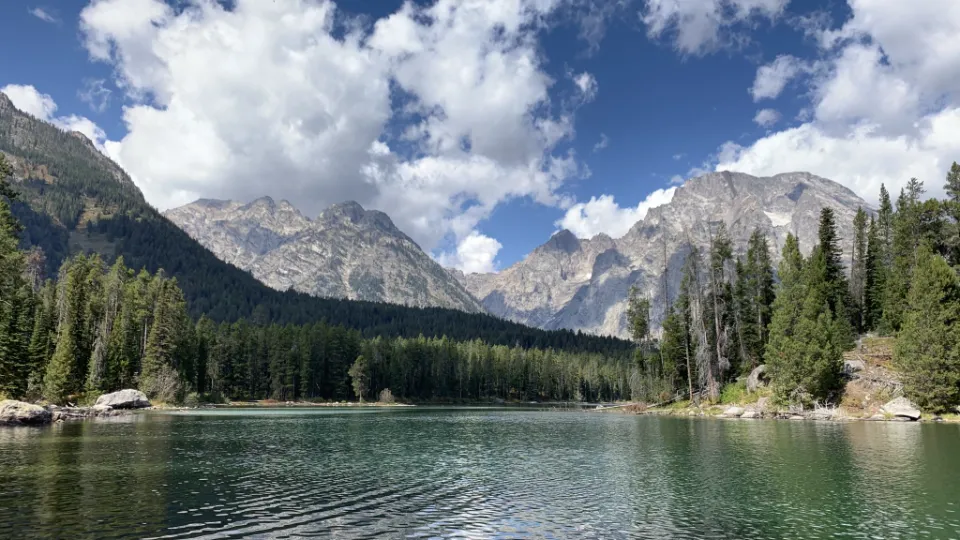
3 labels saved · next image
02 · Video
Mark the moments in a clip
For video, raters mark when something starts and stops and give each moment a label.
- Start and end of each moment
- A label for each one
- All moments exported with their times
 Label moments in a videoClip 12 · 0:14
- 0:01–0:09Looks around
- 0:10–0:12Scratches its back with an antler
- 0:12–0:14Lowers its head to its leg
03 · Agreement
See which labels people agree on
Each clip goes to several raters. The majority label is kept, and clips where they split are listed for you to decide.
- Majority label per item
- Split items listed
- Agreement score in the export
 Label agreement4 raters per clip
- Clip 03 · Two speakers100%
- Clip 08 · Noisy80%
- Clip 14 · Noisy / Clear speech50%
- Clip 21 · Accent: Scottish75%
04 · Raters
Keep the raters who get it right
Rater scores combine gold items and agreement, so you know who to invite back and whose labels to check.
- Gold items with known labels
- Agreement with other raters
- Invite your best raters to the next study
 Rater scoresGold · agreement
Invite Raters 03 and 08 to your next study; Rater 17 isn't invited back.
/ai-training
More in AI training
Evaluate
- Model evaluation and safetyCompare models answer by answer, score them on a rubric, and find where your chatbot breaks its rules.
- Agentic AI evaluationReal people use your agent on real tasks, or review its recorded runs step by step.
- Robotics & physical AIManaged only: people review recordings of your robot's runs, mark what went wrong and compare runs.
- Managed servicesOur team designs and runs the study for you, and delivers the dataset and the report.
Train & align
- Alignment and preference dataChosen and rejected answers with reasons, ready for alignment training.
- Training and fine-tuningRaters write the ideal answer or fix the model's draft, exported for fine-tuning.
- Multilingual and cross-culturalNative speakers check that answers are accurate, natural and right for their country.
Asked often
Can raters draw boxes on images?
Yes. Turn on boxes and raters draw a labelled box around each thing on images and video frames. You see how well raters' boxes line up, and the export has every box. Outlines around exact shapes aren't part of it.
What file types work?
Common image, audio and video files. Upload them with a CSV or JSONL file that lists each item and its labels.
How do I get the labels out?
Download JSONL or CSV with the labels, the timestamp notes and the agreement score for each item, or pull them through the API.
Can raters transcribe audio?
This task is for labels and notes. If you want a full transcript, AI Research can transcribe recordings separately.
How is it billed?
Each rater session holds up to 50 items and counts as one interview from your AI Research plan: Starter is $149 a month with 45 interviews, Pro $599 with 200, Growth $1,399 with 500 and Scale $2,999 with 1,200. Raters you recruit through Paid Research are paid separately, per completed session.
Who are the raters?
Your own people, invited with a link, or participants recruited through Paid Research. Each item goes to 3 to 5 raters, and their names are never shown to you.
Rather have us run it? Book a meeting
Get your media labelled
Upload your files, set your labels, and download checked labels when the raters finish.